Your e-bike's live dashboard.
RidePulse turns your phone into a clear, glanceable display for your ride: speed, power and regen in big numbers, a log of every trip with map and elevation, and a live link you can share while you ride.
Get the app, freeSee ridesTwo modes
VESC mode
- Live power in watts, with regen shown in green
- Battery, controller temperature, energy per km
- Trip energy, Ah, regen Wh, top speed
- With the Dash: clock, caller ID and an anti-theft lock that unlocks when your phone is near
GPS mode
- Speed from GPS in the same big gauge
- Grade in %: gold uphill, blue downhill
- Elevation profile, distance, time and climb
- Switches on by itself when no VESC is connected
Features
Above 5 km/h the screen switches to big numbers only and stays on, so a quick glance is enough.
Share a link and friends can follow your ride on a map while you are out.
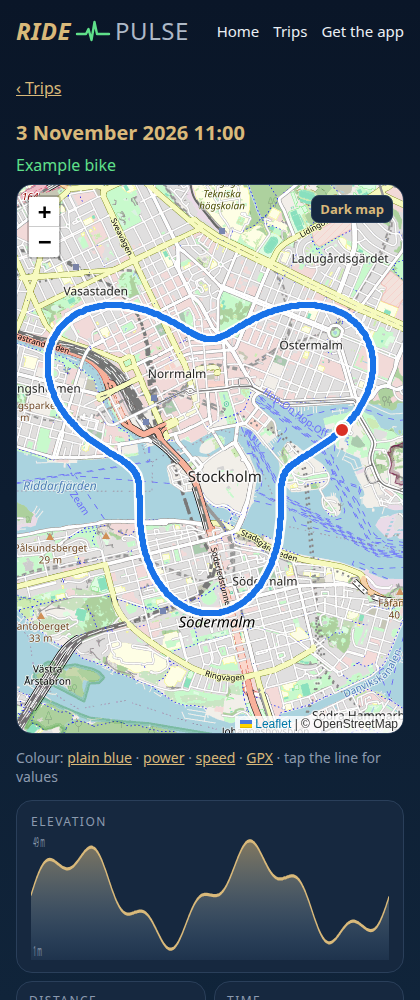
Every ride with map, elevation, power or speed colours, and GPX export.
See how much energy braking gives back, live and per trip.
Compares the controller's distance with GPS, so your speedo can be set right.
Trips are kept on the server and shown here on the web. Share any trip with a link.
How it works
- Install the app on your Android phone and allow Bluetooth and location.
- Ride. With a VESC the app connects by itself when the bike powers up; without one, GPS mode starts.
- Look back at your trips in the app or on the web, and share them with a link.
On the web
Each trip gets its own page with the route, elevation and figures (example trip).
Get RidePulse
Free for Android. Download the APK and open it on your phone to install.
Download for Android